


AutoSmart Parts
4-in-1 Compact Wireless CarPlay & Android Auto Adapter + MirrorLink
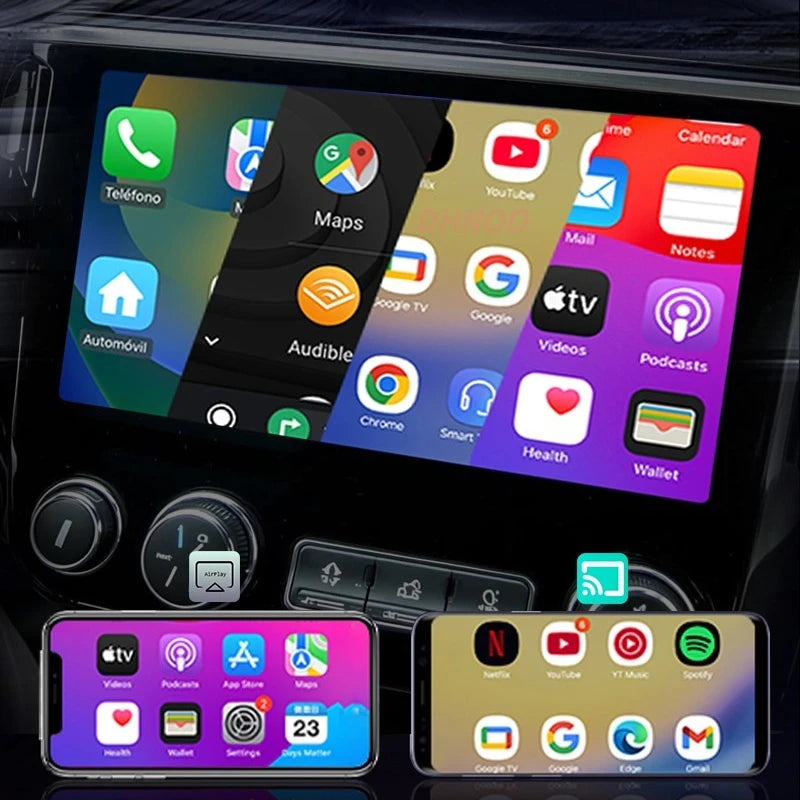
Your factory screen deserves better than a cable. This 4 in 1 box adds wireless CarPlay, Android Auto, Netflix and YouTube. Plug in once, enjoy always.
Regular price
$69.99 AUD
Regular price
$139.99 AUD
Sale price
$69.99 AUD
 Secure shipping
 Easy exchange
 24/7 support
 Wireless CarPlay and Android Auto without cables
Stream Netflix and YouTube on your factory screen
AirPlay and MirrorLink also supported
Plug and play, connects automatically every drive
Quantity
Couldn't load pickup availability
Specifications
Specifications
Compatible With
Compatible With
What’s Included / Care Instructions
What’s Included / Care Instructions


Quick Setup
1. Plug into the Car USB
Insert the 4 in 1 adapter into the USB port that normally accepts your CarPlay or Android Auto cable. The unit powers on with the car.
2. Connect Your Phone Once
Pair via Bluetooth on first use. From the next drive it connects automatically. Use the on-screen menu to select CarPlay, Android Auto or streaming mode.
3. Start Streaming
Switch to Netflix, YouTube or AirPlay directly from the factory screen menu. No cables, no extra screens, no extra apps.
Common Questions Before You Buy
Does this adapter work with my car?
This adapter is designed for vehicles that already support wired Apple CarPlay. The device converts the wired connection into a wireless connection.
What features does this adapter support?
The device supports CarPlay, Android Auto, AirPlay, and MirrorLink functions in one adapter.
How does the adapter connect to the car?
The adapter connects through the car’s USB port and communicates with your phone using Bluetooth and WiFi.
Is installation required?
No installation is required. The device works with a plug-and-play setup using the USB port.