


AutoSmart Parts
Car Head Up Display HUD Speedometer KM/H Windshield Projector
Eyes down on the speedometer for a second is all it takes. This USB HUD projects your GPS speed directly onto the windshield so you never look away from the road.
Regular price
$44.99 AUD
Regular price
$66.99 AUD
Sale price
$44.99 AUD
 Secure shipping
 Easy exchange
 24/7 support
 Projects your GPS speed onto the windscreen
Simple USB power, no wiring or installation
Works in any vehicle, any make, model or year
Includes reflective film for improved projection
Quantity
Couldn't load pickup availability
Specifications
Specifications
Compatible With
Compatible With
What’s Included / Care Instructions
What’s Included / Care Instructions


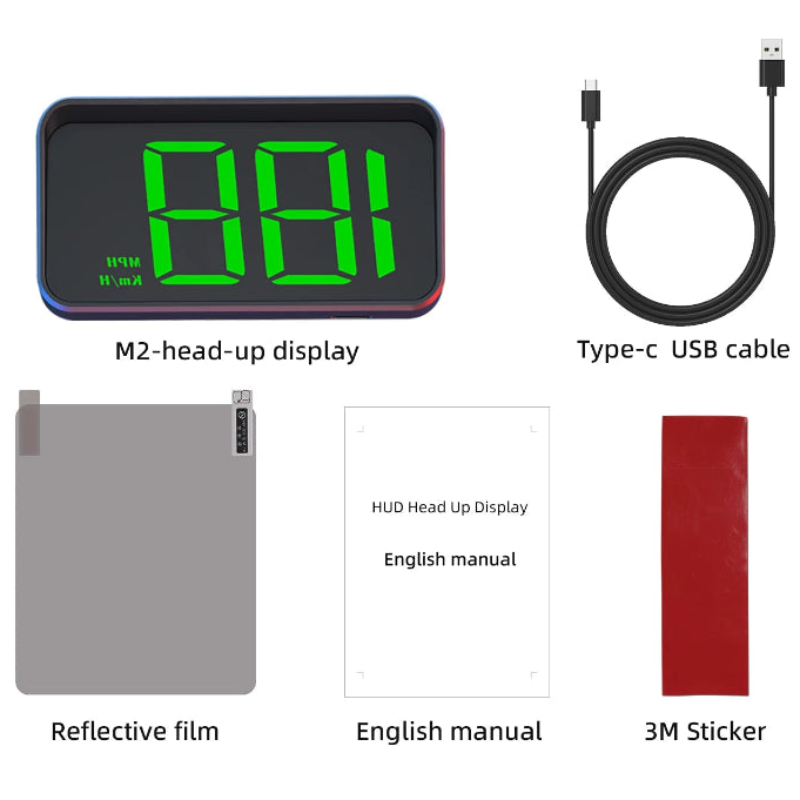
 After
After
 Before
Quick Setup
1. Plug Into USB
Connect the included USB cable to your car's USB port. No wiring, no tools, no installation.
2. Position on the Dash
Place the HUD on the dashboard in line with your natural eye position. Attach the reflective film to the windscreen above it for a clearer projection.
3. Adjust Brightness
Use the control buttons to adjust brightness to suit day and night driving. The display turns off automatically with the engine.
Common Questions Before You Buy
What is this product?
It is an M2 GPS car head-up display (HUD) that projects your GPS speed in KM/H onto the windshield.
What unit does it display?
KM/H.
How is it powered?
By USB. Plug the included USB cable into your car's USB port or a USB adapter and the display powers on with the vehicle.
Does it include the reflective film?
Yes, a reflective film sheet is included for improved projection clarity.