


AutoSmart Parts
360 Degree Car Reverse Camera Android
360 degree car reverse camera set for Android head units with panoramic support. 4 AHD fisheye cameras, 1080P or 720P, cables and fittings included.
Regular price
$159.99 AUD
Regular price
$219.99 AUD
Sale price
$159.99 AUD
 Secure shipping
 Easy exchange
 24/7 support
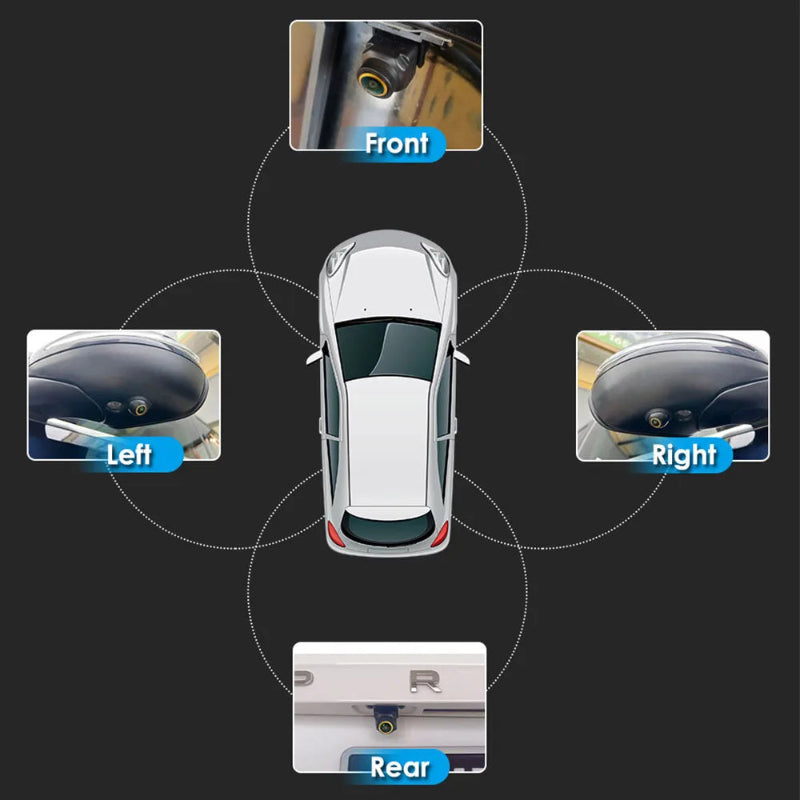
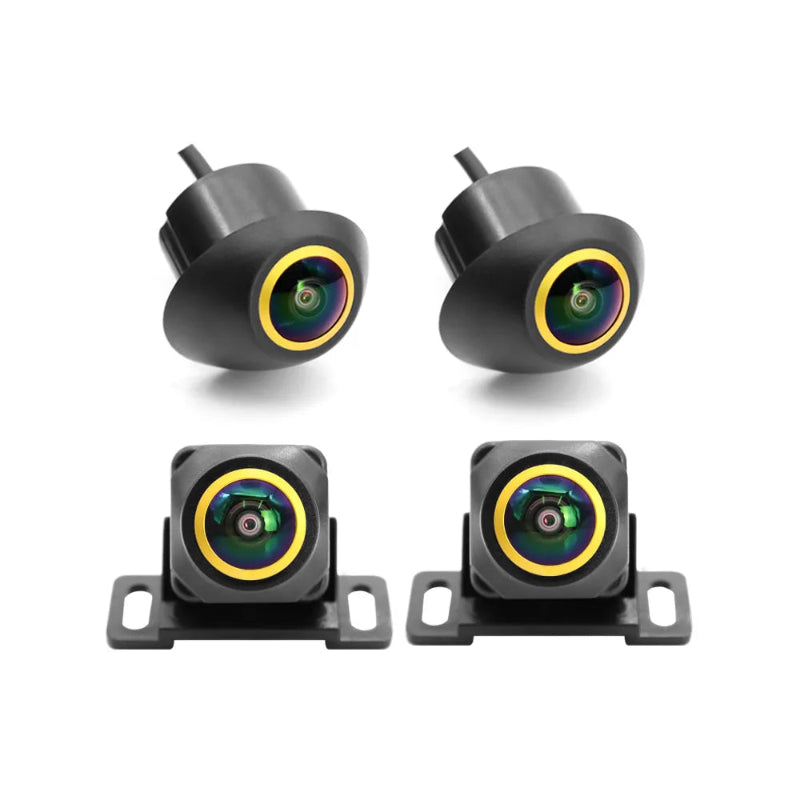
 4 golden fisheye cameras cover front, rear and both sides
180 degree wide angle per camera for full stitching
AHD output at 1080P (switchable to 720P)
Cables and installation accessories in the box
Quantity
Couldn't load pickup availability
Specifications
Specifications
Compatible With
Compatible With
What’s Included / Care Instructions
What’s Included / Care Instructions


How to Install
1. Confirm Head Unit Support
Check that your Android navigation has a 360 degree panoramic imaging system. Without it the cameras cannot be used.
2. Mount the 4 Cameras
Fit the front, rear, left and right cameras in their positions using the included accessories and run the 5 cables to the head unit.
3. Connect and Calibrate
Connect to the head unit, pick the correct resolution channel (1080P default) and run the panoramic calibration so the four views stitch into one.
Common Questions Before You Buy
Will it work with my head unit?
Only if your Android head unit has a 360 degree panoramic imaging system built in. This kit supplies the cameras for that system; without the support it cannot be used. Confirm before ordering.
What is included in the box?
4 cameras, 5 cables and a bag of installation accessories. No screen: the image displays on your Android head unit.
How does the 360 degree view work?
Each of the four cameras captures a 180 degree fisheye view, and your head unit's panoramic system stitches them into a top down bird's eye image of the car.
What resolution do the cameras output?
AHD video at 1080P by default, switchable to 720P. Make sure to select the channel that matches your head unit's configuration.
How do they perform against glare and low light?
The cameras have automatic backlight compensation, which balances the image against headlights, low sun and shaded car parks.