


AutoSmart Parts
Mirror Dash Cam WiFi GPS 10in WOLFBOX G930 4K
Your rear view mirror only shows you what's behind the headrests. The G930 replaces it with a live 4K wide angle feed covering everything. No blind zones.
Regular price
$189.99 AUD
Regular price
$239.99 AUD
Sale price
$189.99 AUD
 Secure shipping
 Easy exchange
 24/7 support
 4K front recording with rear camera included
10 inch touchscreen display with built in GPS
Night vision for clear recording in low light
WiFi app connectivity for easy file transfer
Quantity
Couldn't load pickup availability
Specifications
Specifications
Compatible With
Compatible With
What’s Included / Care Instructions
What’s Included / Care Instructions


Quick Install
1. Mount the Mirror Unit
Clip the G930 over your existing rearview mirror using the included mount straps. The 10 inch screen covers the factory mirror and turns on with the ignition.
2. Connect the Rear Camera
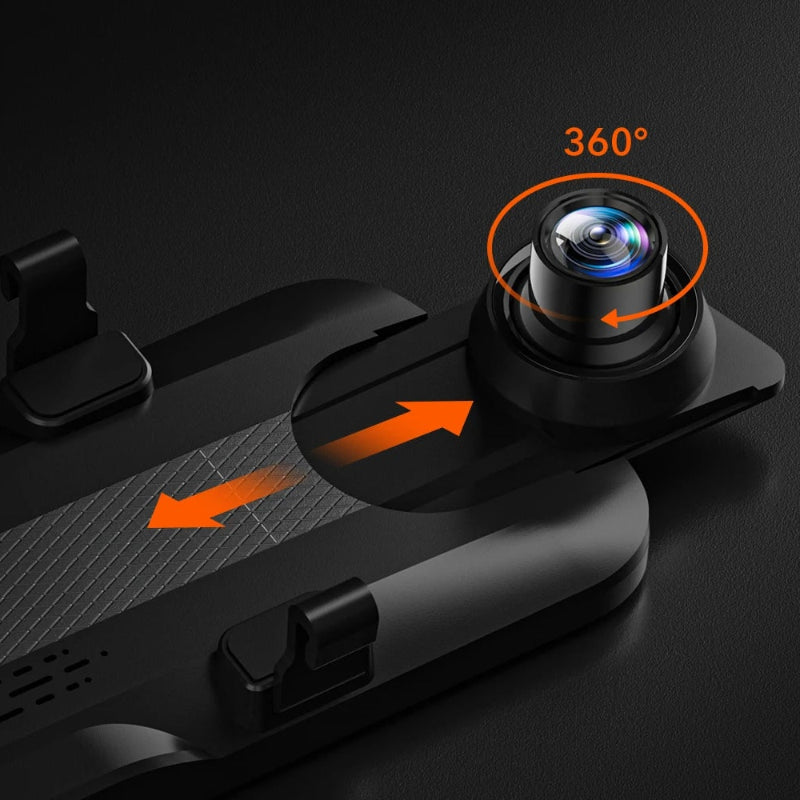
Run the rear camera cable from the boot area to the front unit. Position the camera to capture the rear view and connect to the dash cam.
3. Adjust and Drive
Set your display preference between mirror view and screen view. Adjust brightness for the conditions and insert the 64GB card included in the box.
Common Questions Before You Buy
What is this product?
A 10 inch 4K mirror dash cam that replaces your rearview mirror display. Front 4K and rear 1080P recording with GPS, WiFi and night vision.
Does it support parking monitoring?
Up to 128GB. Class 10 speed is required. A 64GB card is included in the box so you can start recording immediately.
Does it include a memory card?
Yes. The unit connects to the WOLFBOX app on iOS and Android via WiFi for easy video download, settings and GPS track review.
What memory card is supported?
Yes. A parking monitoring hardwire kit option is available. Select the WITH HARDWIRE KIT variant when ordering.
Is it compatible with phones?
App compatibility is listed for iOS and Android.