


AutoSmart Parts
Wireless CarPlay Adapter for iPhone - Plug & Play, No App Needed
Still plugging in a cable every time you get in the car? This dongle converts your wired CarPlay to wireless. Plug it in once and never touch a cable again.
Regular price
$63.00 NZD
Regular price
$101.00 NZD
Sale price
$63.00 NZD
 Secure shipping
 Easy exchange
 24/7 support
 Converts wired CarPlay to wireless instantly
Plug and play, no apps or setup needed
Fast auto connect via Bluetooth and WiFi
Compatible with any car that has factory CarPlay
Quantity
Couldn't load pickup availability
Specifications
Specifications
Compatible With
Compatible With
What’s Included / Care Instructions
What’s Included / Care Instructions


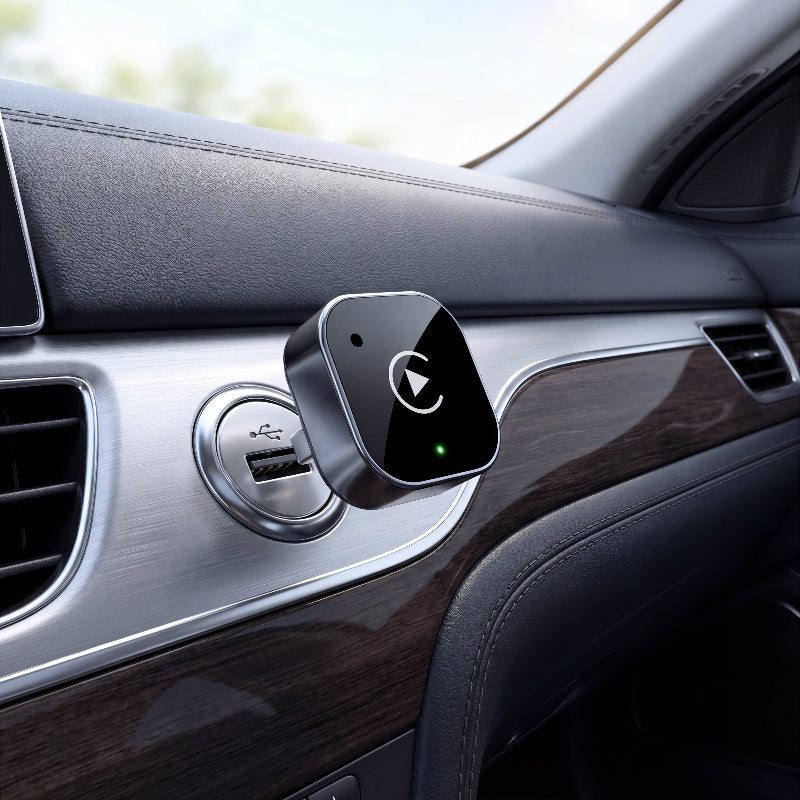
Quick Setup
1. Plug into Your Car USB
Insert the adapter into the USB-A or USB-C port that normally accepts your CarPlay cable. The unit powers on automatically with the car.
2. Pair Your Phone Once
On first use, connect via Bluetooth when prompted on your screen. This only needs to happen once. From then on it connects automatically every drive.
3. Drive Wirelessly
CarPlay launches on your screen automatically each time you start the car. No cable, no app, no friction.
Common Questions Before You Buy
Does this adapter work with all cars?
This adapter works with vehicles that already support wired Apple CarPlay or Android Auto. The device converts the wired connection into a wireless connection.
Is this adapter compatible with iPhone and Android?
Yes. The adapter supports both iPhone and Android devices that are compatible with CarPlay or Android Auto.
How does the adapter connect to my phone?
The dongle connects through the car’s USB or USB-C port and communicates with your phone wirelessly.
Do I need to install any apps?
No installation or extra apps are required. The adapter works with a plug-and-play setup.